Overview
The Pengo 4K HDMI Grabber is a small external capture device (about the size of a pack of playing cards) that turns any HDMI source into a webcam your computer can see. This page covers what it actually does, what its ports are for, and the most useful ways people use it.
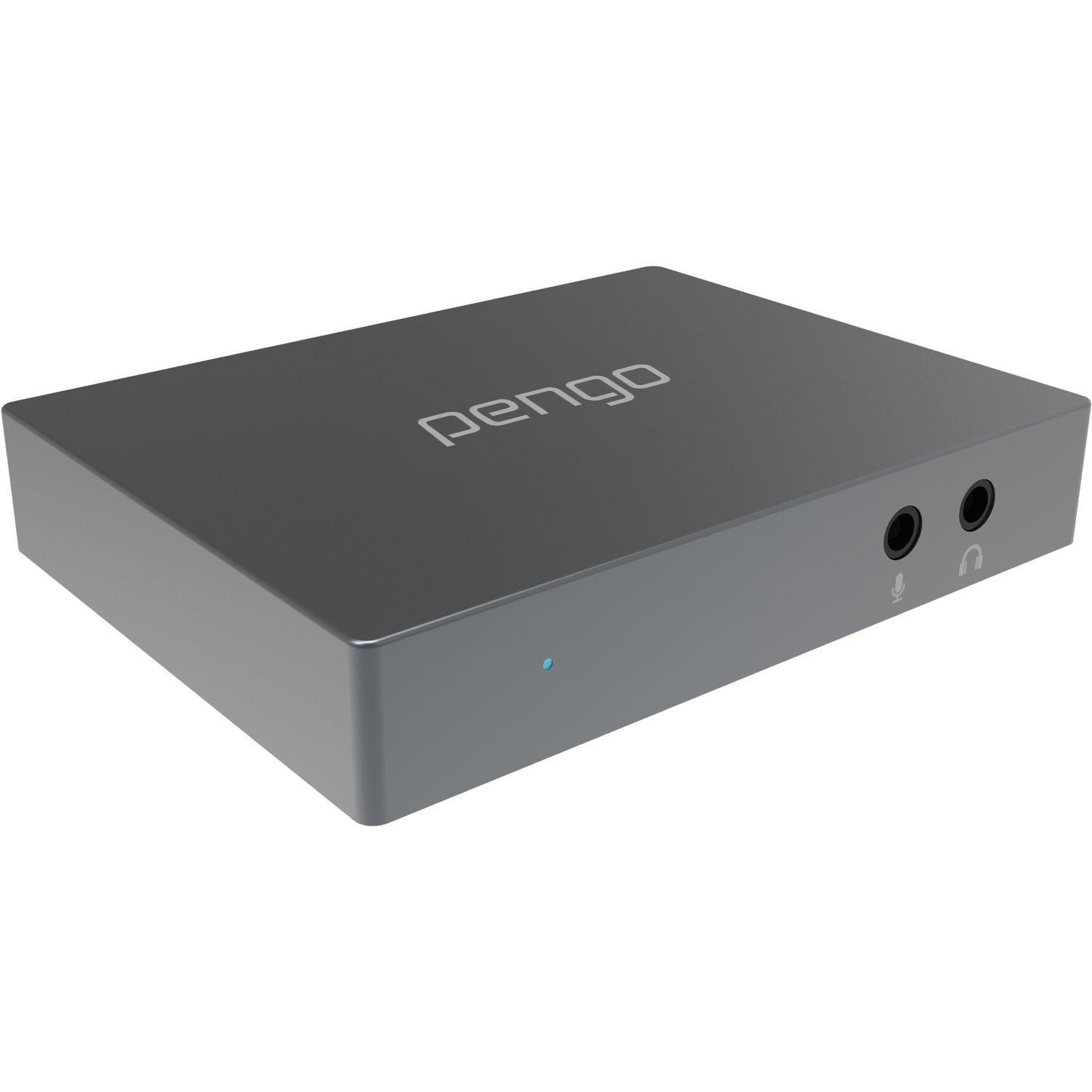
What it does, in one diagram
   ┌──────────────┐   HDMI in    ┌─────────────────────────────────┐  USB-A 3.0   ┌──────────────┐
   │  HDMI source │─────────────▶│  Pengo 4K HDMI Grabber         │──────────────▶│  Your PC/Mac │
   │  (console,   │              │  (UVC + UAC capture)            │              │              │
   │  camera, PC) │              │                                 │  HDMI loop    │  -VLC        │
   └──────────────┘              │  - HDMI 2.0 in (4K60 4:4:4)    │──────────────▶│  -OBS        │
                                 │  - HDMI 2.0 out loop (4K60)     │   ┌──────┐    │  -FFmpeg     │
                                 │  - USB-A 3.0 out 1080p60 UVC   │   │      │    │  -Peng Tool  │
                                 │  - 3.5mm mic + headphone        │   │ 4K   │    │  -Claude/AI  │
                                 └─────────────────────────────────┘   │ TV   │    └──────────────┘
                                                                    └──────┘
Ports and indicators
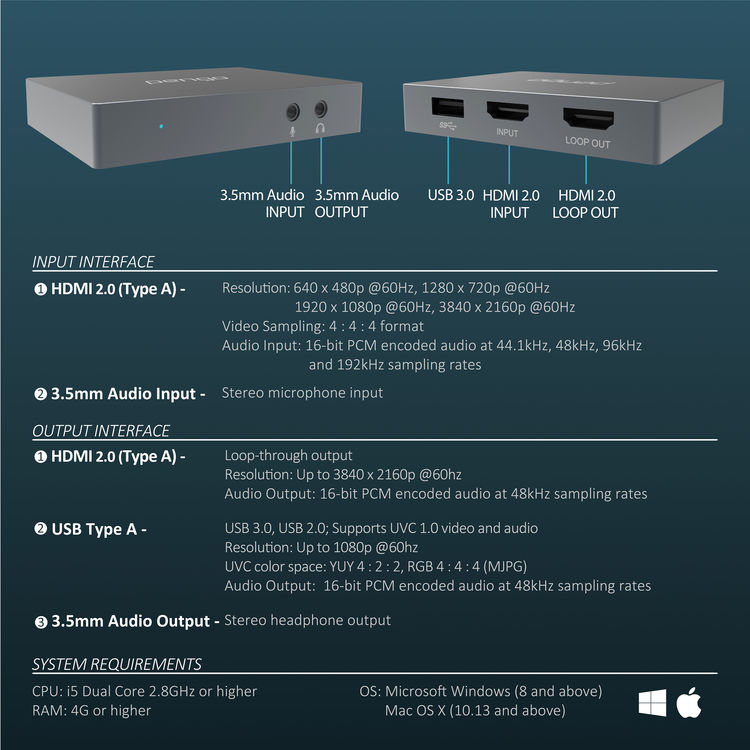
| Port / LED | Function |
|---|---|
| USB 3.0 (USB-A) | Data + power to host PC. Use the included cable. |
| HDMI INPUT | Source signal. Up to 4K60 4:4:4. |
| HDMI LOOP OUT | Mirrors the input at full quality — connect a 4K TV/monitor for zero-latency local viewing. |
| 3.5 mm MIC | Mono mic-level input. Mixed into the USB audio stream. |
| 3.5 mm SPEAKER | Stereo headphone monitoring output (48 kHz / 16-bit). |
| Blue LED | Power/active indicator on the front face. |
See Gallery for labelled photos of each jack and the underside.
What people use it for
1. Game capture & streaming
Plug a PS4 Pro, PS5, Xbox One X, Xbox Series X, or a Switch (via dock) into the HDMI input. Capture at 1080p60 in OBS, stream to Twitch/YouTube, monitor on a local 4K TV via the loop-out. The grabber is mentioned in the manual as specifically tested with PS4 Pro and Xbox One X.
2. Camera as a webcam
HDMI-out from a DSLR or mirrorless camera (Canon 5D Mk III, 7D Mk II, Sony A7-series, Panasonic GH5, etc.) becomes a high-quality webcam for Zoom, Discord, OBS. Important: the camera must output 1080p, not 1080i — the grabber does not support interlaced signals. Set your camera's HDMI output to 1080p60 if you can.
3. Recording lectures, demos, and presentations
Connect the HDMI output of a laptop, a Raspberry Pi, or a document camera. Record with FFmpeg / OBS to disk.
4. AI / agent vision (this wiki's specialty)
The grabber shows up to Linux as a regular /dev/videoN UVC node. That means
any Python tool that can read a webcam — OpenCV, PyAV, ffmpeg-python,
Pillow+imageio, etc. — can read frames off it and feed them to a vision
language model. See AI Agent Integration.
5. Multi-camera setups
Two grabbers on two independent USB root ports work side-by-side in OBS. The B&H Q&A confirms this works with the Dell Inspiron 15 5000 — but two ports on the same bus-side hub will fight each other for bandwidth.
What it does not do
- No HDCP — content-protected sources (DVD/Blu-ray, most streaming sticks, Apple TV, etc.) will show as black. Use a HDCP stripper, or use a camera/console source.
- No 1080i — interlaced signals produce a black or glitched image. Always set your source to 1080p.
- No 4K over USB — the USB stream is downscaled to 1080p60 (YUYV 4:2:2 or MJPG). 4K only goes out the HDMI loop.
- No onboard recording — there is no SSD slot and no internal storage. Capture must happen on the host computer.
- No Mac/Windows GUI control panel that does anything useful. The Windows GUI shipped in older revisions only exposes UVC controls; on Linux everything is via V4L2.
Quick environmental facts
| Operating temperature | 0 – 45 °C (32 – 113 °F) |
| Operating humidity | 20 – 90 % |
| Storage temperature | -20 – 60 °C |
| Dimensions | 85.6 × 65 × 15.2 mm (3.4 × 2.6 × 0.6 in) |
| Weight | 91 g (3.2 oz) |
| Power | Bus-powered from USB 3.0 (no separate PSU) |
| Chassis | Titanium-grey aluminium |
| Warranty | 18 months with product registration at pengohome.com/register |
Next: Specifications → for the full technical breakdown.